Submitting a report
このコンテンツはまだ日本語訳がありません。
Clicking Submit at the bottom of any tab triggers the same five-step flow. Knowing what each step does makes the standardised email format much easier to understand.
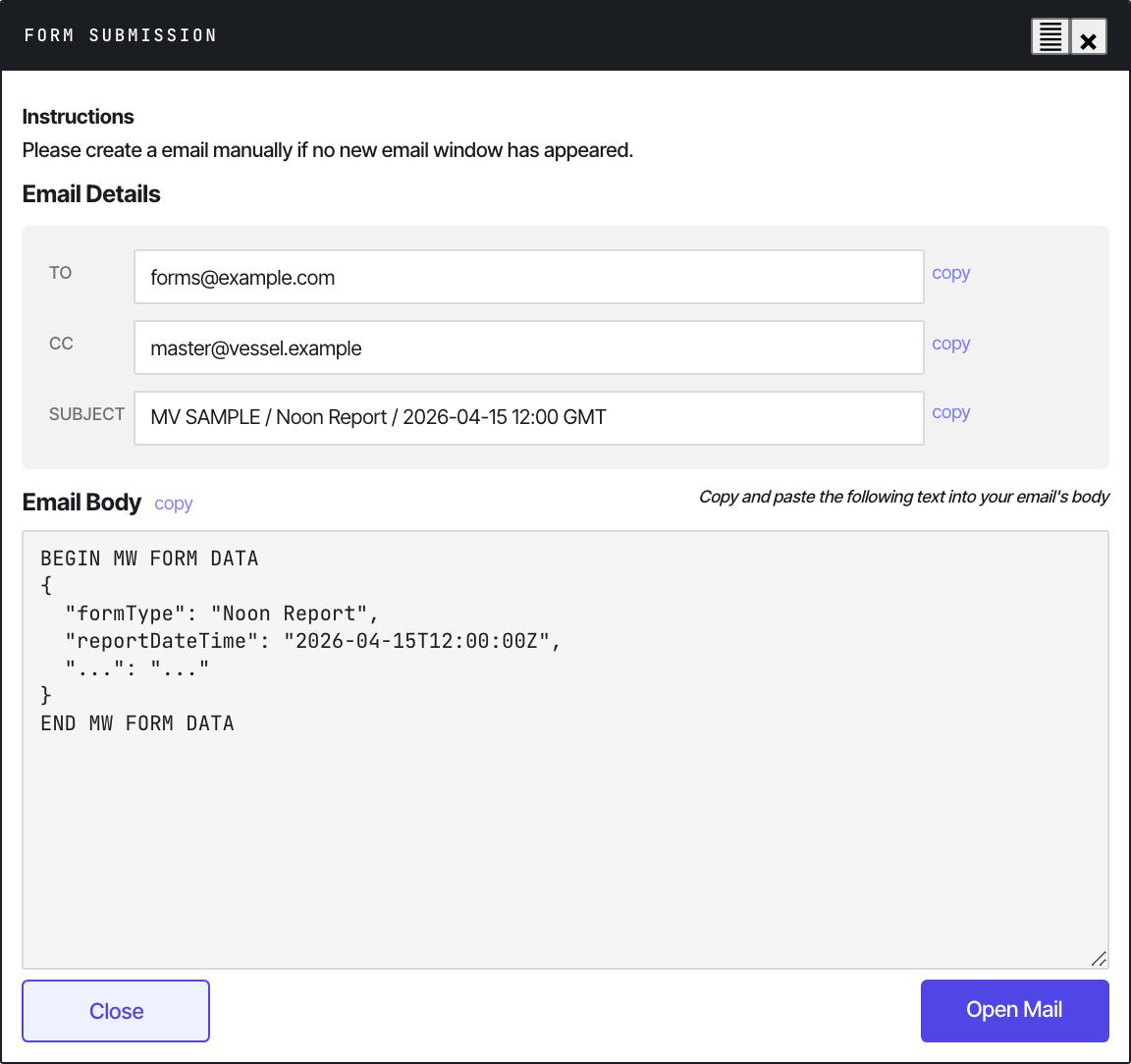
The Form Submission modal that opens after Submit.
What happens on Submit
-
Validate
The form runs every field’s validation rule. Required fields with empty values get a red inline error; values outside the configured Min/Max get an orange warning (non-blocking — see Validation). Submit is blocked if any required field is invalid.
-
Serialise
All visible inputs, selects, textareas, and table arrays (BDN rows, upcoming ports, port activities, etc.) are collected into a JSON object. Hidden identifiers — IMO, vessel name, vessel code, principal ID, client IDs, form identifier, ref ID, isBarge, client name — are pulled from hidden inputs.
-
Encrypt
The JSON is encrypted with AES-128-CBC + PKCS7 padding. The key and IV are both the same 16-byte UTF-8 string from the form configuration. The result is base64-encoded.
const key = CryptoJS.enc.Utf8.parse(AES_KEY);const iv = CryptoJS.enc.Utf8.parse(AES_KEY);const plain = CryptoJS.enc.Utf8.parse(JSON.stringify(formData));return CryptoJS.AES.encrypt(plain, key, {iv, mode: CryptoJS.mode.CBC, padding: CryptoJS.pad.Pkcs7}).toString();The encrypted block is wrapped in markers:
---------- BEGIN MW FORM DATA ---------------<base64 ciphertext>------------- END MW FORM DATA ---------------- -
Show the preview dialog
A modal opens with two views:
- Email Body — the readable preview block (vessel info, voyage info, etc.) followed by the encrypted payload. This is what you copy into your email.
- Form Submission — the encrypted block alone, for advanced cases.
Each section has a Copy button. There’s also an Open Mail button that triggers a
mailto:link with the subject pre-filled and the body URL-encoded. -
Archive locally (if linked)
If the vessel has linked
history.jsonvia Settings, the submission is appended to it before the modal closes. A toast confirmsArchived (insert/update). N rows in history.See Setting up history.json for the archive flow.
Sending the email
Once the modal is open, the standard process is:
- Click Copy next to
Email Body. - Open a new email in Outlook.
- Set the format to Plain Text (Format Text → Plain Text). HTML or Rich Text formatting will corrupt the encoded block.
- Paste into the body.
- Set the email header:
- To: the fleet-specific Metaweave inbox (configured in Settings — confirm with the office on first use)
- Cc: Performance mailbox + any additional party your operator requires
- Subject: the standardised format
Vessel Name // Report Type // Date— for exampleMT ABC // Noon Report // 13 April 2026
- Make sure the body contains only the pasted block — no signature, no disclaimer, no extra text.
- Send.
Subject line format
The standardised subject the office expects:
Metaweave Forms: <Vessel Name> - <Report Type> - <DD.MM.YYYY>Examples:
Metaweave Forms: MT ABC - Noon Report - 13.04.2026Metaweave Forms: MT ABC - Bunker Report - 13.04.2026Metaweave Forms: MV XYZ - Statement of Facts - 13.04.2026The mailto: link auto-fills this. If you compose the email manually, type it exactly — the pipeline’s subject regex is strict.
Order of submission
Reports must be sent in chronological order:
- Noon every day
- Arrival at EOSP
- Departure at COSP
- Bunker after each lift
- SOF after each port operation
Out-of-order submissions will be ingested but may break per-voyage analytics that assume sequential reports.
What lands in the inbox
A typical email looks like this (truncated):
From: master@vessel.comTo: forms@yourcompany.comSubject: Metaweave Forms: MT ABC - Noon Report - 13.04.2026
------------ BEGIN FORM DETAILS ---------------Vessel: MT ABCIMO: 9999999Voyage: 33LDate/Time: 2026-04-13 12:00 LT (+03:00)Location: At Sea...---------- BEGIN MW FORM DATA ---------------U2FsdGVkX19V5j8z2K... <base64 blob, ~5–20 KB> ...mP8=------------- END MW FORM DATA ----------------
The pipeline reads only the encrypted block. The readable header is for crew / ops sanity-checking.
Saving a copy
The form has a Save a Copy button next to Submit. It saves an HTML snapshot of the filled form to disk — useful for evidence or audit, but not a substitute for sending the email or for the local archive. The pipeline doesn’t read these saved files.
See also
- Validation — what blocks Submit and what merely warns
- Setting up history.json — the local archive that fires on every Submit
- Pipeline ETL stages — what the parser does with the encrypted block